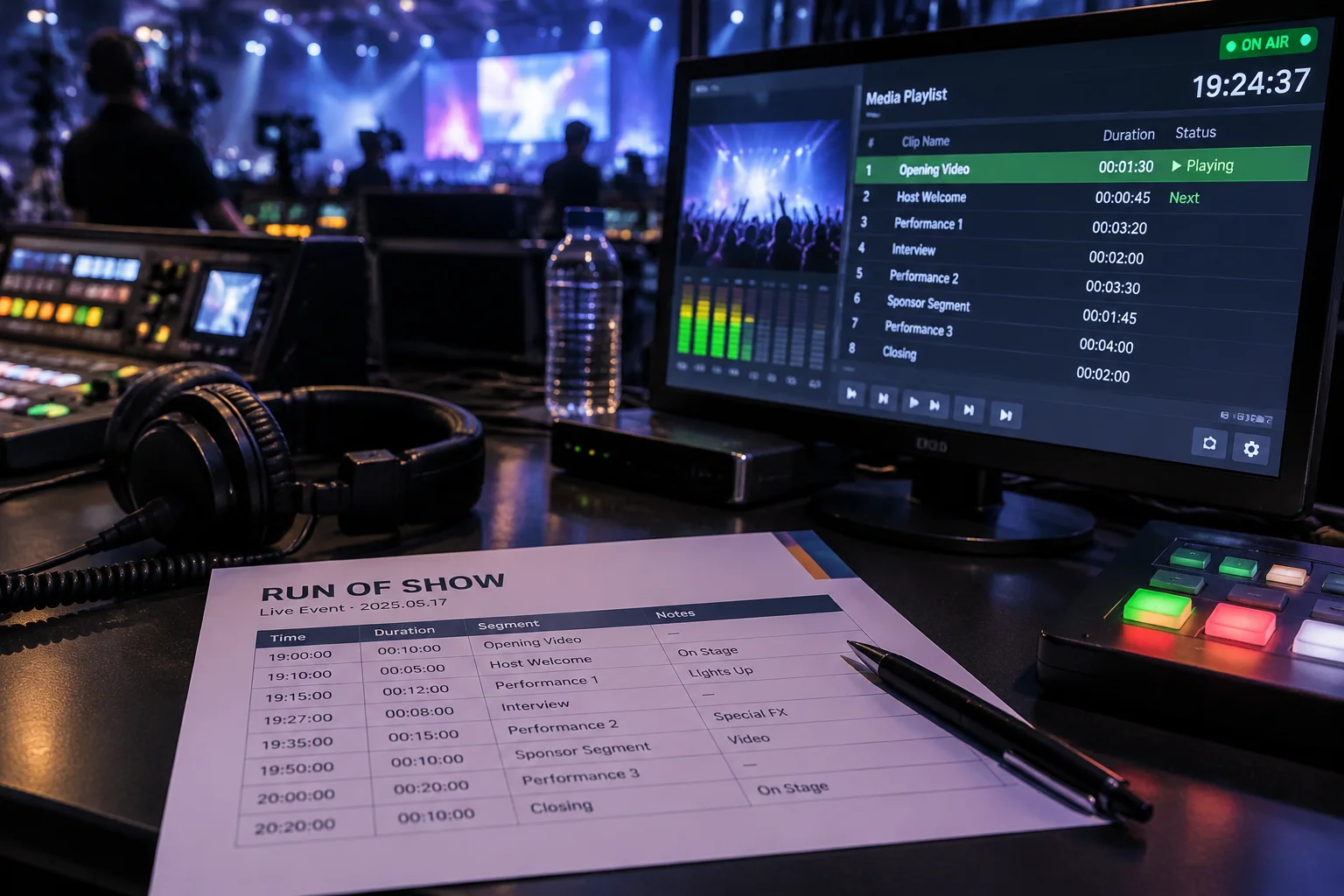
The Dangerous Illusion of the Ordered File List
In modern presentation booths, operators frequently construct beautifully arranged media playlists containing intro videos, holding graphics, sponsor slides, and lower thirds. This structured list creates an immediate psychological comfort: every digital asset is numbered, properly labeled, and visually ready to trigger. However, assuming that a well-ordered playlist constitutes an event schedule is one of the most persistent operational traps in live production. The playlist only records what file exists, not under which dynamic human circumstances that file should appear.
When an opening speaker decides to acknowledge a special guest before advancing their prepared remarks, a mechanical playlist provides zero guidance. Without a documented run of show detailing cue criteria, the technician staring solely at a software timeline is blind to stage momentum. A playlist answers the question of what to display, while a run of show establishes why, when, for how long, and in coordination with whom.
Bridging Media Triggers with Multichannel Execution
Live event production relies on synchronized movement across disparate disciplines: audio faders, lighting cues, camera switching, presenter movement, and stage teleprompter feeds. A media playlist operates inside its proprietary software bubble. In contrast, the run of show functions as the foundational blueprint connecting these separate operational domains into a unified timeline.
Documenting the relationship between a graphic slide and stage activities protects the operator from unexpected disruptions. If a speaker introduces an unannounced video segment, a proper run of show provides clear parameters: which microphone remains open, which stage lights dim, and whether an auxiliary timer resets automatically or awaits a verbal confirmation from the stage director.
Operational Distinction Parameters
- Playlist Scope
- Linear media file ordering and local asset triggering
- Run of Show Scope
- Multidisciplinary event pacing, room states, and stage triggers
- Failure Vulnerability
- High risk of mistimed triggers during spontaneous stage improvisation
- Handoff Resilience
- Enables seamless operator substitution mid-event without confusion
Structuring the Desk Workflow for Total Situational Control
Establishing operational resilience starts by keeping the master run of show in front of the playback operator at all times, whether on a secondary physical screen or a clearly annotated paper sheet. Every item in the digital playlist must correlate to an explicit line-item ID on the master schedule. When changes occur in rehearsal, notes should detail not only slide updates, but the specific sensory trigger—a spoken phrase, an audible sting, or a presenter walk-down—that initiates execution.
Establishing this dual-layer verification protocol transforms media playback from passive slide-pushing into active production management. Technicians maintain comprehensive visual awareness of the stage, anticipate speaker pacing deviations, and coordinate fluidly with intercom directors. The playlist serves as the execution tool; the run of show serves as the guiding operational mind.