FIELD PROTOCOLS DESK HANDOFF

What the Next Operator Needs to Know

Relieving a console technician mid-session demands precise baseline information rather than broad reassurance. Here is how structured register logs protect live show continuity.

Date: 2026-10-28
•
Author: James Brooks
•
Reading Time: 6 min read
EXECUTIVE SUMMARY
PROTOCOL // CUE-REGISTER

Key Takeaways

  • 01

    Unannounced software modifications must be flagged directly in the physical run register before standing up from the chair.

  • 02

    Hardware overrides on downstream switchers require visual indicator tape beside the physical fader or switcher button.

  • 03

    The incoming engineer must confirm intercom talkback loops and stage manager emergency priority channels immediately.

  • 04

    Active audio routing mutes and auxiliary feed patch states carry higher immediate operational risk than playlist order.

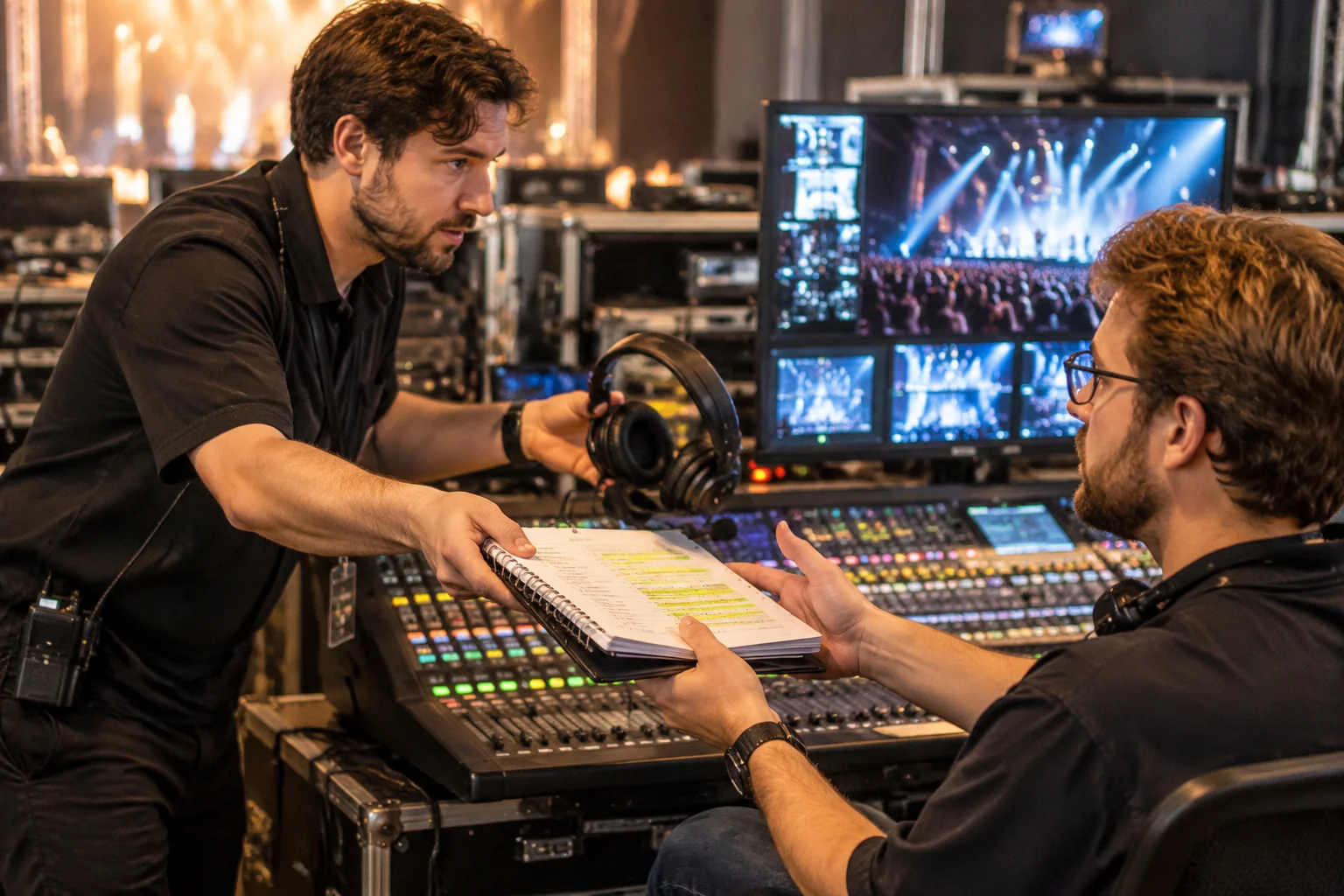
Two event technicians exchanging notes and a headset at a control console.
Console desk handover showing physical cue registers annotated during live program execution. FIG. 01 • REHEARSAL VERIFICATION

The Invisible Debt of Unspoken Modifications

Live control consoles accumulate silent adjustments continuously over multiple hours of rehearsals and live segments. An operator adjusts output gain on an auxiliary matrix, drags a lower-third banner two millimeters lower to clear a camera badge, or overrides an automatic fade transition with a hard cut. None of these ad-hoc decisions leave an obvious trail on a static presentation sheet. When a relief operator sits down without an explicit briefing, every hidden adjustment turns into an immediate trap during the next countdown.

Preventing confusion requires a clean handover protocol based on observable equipment states. Incoming operators must receive the current trigger mode, active video layer routing, and known presenter anomalies before placing their fingers on the control surface. Relying on verbal assurances like ‘everything is running fine’ invites disaster during fast-paced program blocks.

Five Operational Checkpoints Before Handing Off Headsets

Exchanging control demands a standardized verification sequence. The outgoing technician starts by walking the successor through the cue register line items for the upcoming thirty minutes. Point out skipped entries, altered asset names, and manual overrides applied during earlier segments. Verify that external media drives remain mounted with stable read speeds, avoiding surprise read timeouts during video playback.

Audio routing checks follow immediately. Confirm whether presenter lapel mics route through automated automixers or require manual fader supervision from the auxiliary mixing panel. Check confidence monitor profiles so the stage talent views the correct timer profile rather than an outdated speaker layout.

Handoff Baseline Standards

Overlap Window
3 to 5 Minutes Parallel Observation
Log Requirement
Physical Register Sign-Off
Critical Route
Confidence Monitor Aux Bus 02
Default Action
Hold Graphic on Missing Triggers

Communicating Live Anomalies to Stage Management

The incoming technician must immediately inform the call director and stage manager upon completing the seat transfer. Broadcast the handover call clearly over private intercom channels: ‘Console Desk Two: Brooks handing off to Vance on media playback.’ This announcement confirms who holds accountability for the next visual trigger and avoids fragmented radio chatter when rapid cues start firing.

Document every change on the physical clip desk register. Digital documents often fail to show recent adjustments during high-stress moments; handwriting additions with high-contrast ink gives the active operator an immediate visual reference that stays visible regardless of software window switching.

CLARIFICATION PROTOCOLS

Shift Handoff FAQs

Maintain at least three full minutes of silent side-by-side monitoring before swapping headsets. This window allows the incoming operator to observe the current rhythm of calling, monitor intercom levels, and verify active switcher states without interfering with live cues.

Mark emergency hotkeys directly with high-visibility color tags on the keyboard or macro deck. Outgoing technicians must verbally confirm which key fires the emergency holding slide and verify that the target layer remains cleared of conflicting foreground masks.

No production staff may introduce new files or replace existing media without the incoming operator verifying the checksum and display resolution in person. All external changes must wait until the handover is complete and signed on the register.

DIRECT OPERATOR CHANNEL

Need Shift Handover Guidelines for Your Crew?

Submit your console transition scenarios, shift rotation timing questions, and cue register workflows to our field engineering desk.

CONTINUOUS SEQUENCE

Related Materials & Guides

Browse All Registers →
PLAYLIST ARCHITECTURE

A Playlist Is Not the Entire Run of Show

Why digital media cues must integrate with stage timing, room lighting cues, and speaker transitions.

Read Study →
REAL-TIME ADJUSTMENTS

When the Speaker Starts Early

Managing premature presenter starts without cutting off introductory bumpers or audio intros.

Read Study →
PRACTICE PROTOCOLS

Rehearsing Uncertain Transitions

Techniques for stress-testing multi-layer slide handoffs during quick turnaround dry-runs.

Read Study →
REVISION CONTROL

How to Document a Change in Sequence

Immediate logging conventions for mid-show sequence reordering to keep operators aligned.

Read Study →