Technical Architecture Verified Operational Guide

Building a Simple Cue Register

Constructing an operable, multi-column event tracking document that keeps technical directors, graphics triggers, and stage crews coordinated under live pressure.

Date: November 5, 2026
•
Author: Isabella Griffin
•
Reading Time: 6 min read
EXECUTIVE SUMMARY
PROTOCOL // CUE-REGISTER

Key Takeaways

  • 01

    A cue register acts as an execution contract between operators, decoupling tactical button presses from abstract stage rundowns.

  • 02

    Limit mandatory core fields to six essential columns: Cue ID, Segment, Precise Trigger, Destination Channel, Role, and Immediate Fallback.

  • 03

    Triggers must always use observable physical markers or exact speech phrases rather than vague subjective milestones.

  • 04

    Never renumber or purge lines during a live session; always mark canceled cues with bypass statuses to preserve common reference points.

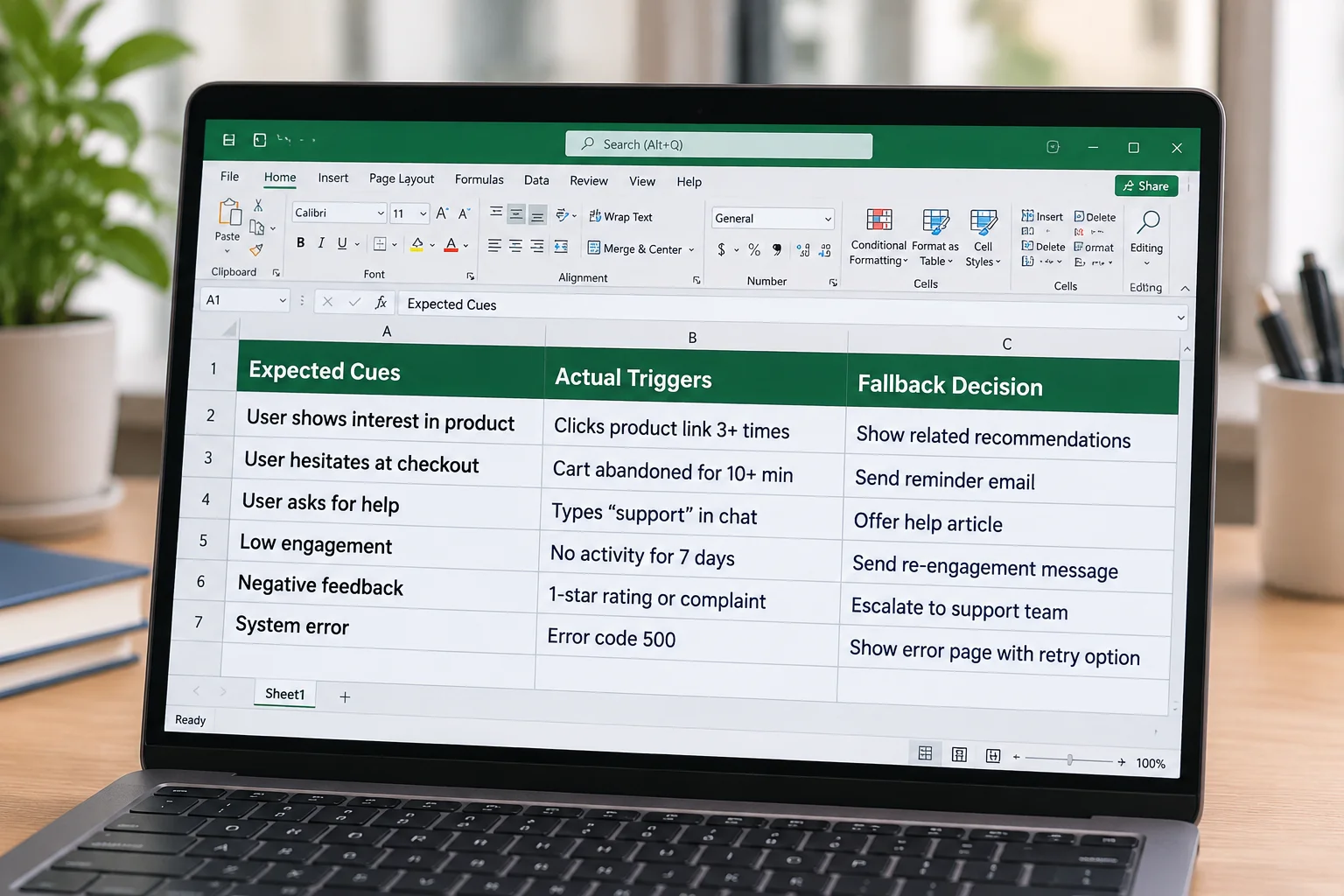
A spreadsheet on a laptop screen detailing cues, triggers, and fallback options.
Standardized multi-column cue register displayed at an active operator station. FIG. 01 • REHEARSAL VERIFICATION

Core Architecture: What Belongs in a Register

A production run of show tells the entire room what should happen across an event block, but an operator cue register dictates exactly how and when each hardware trigger fires. When live operators attempt to drive complex media displays from a high-level schedule or an unannotated slide deck, subtle timing details vanish. A robust register bridges this gap by translating general stage intentions into explicit, repeatable execution commands.

In daily practice, an effective register requires only six core data fields: Unique Cue Index, Segment Name, Trigger Condition, Destination Device, Operator Role, and Fallback Procedure. Keeping the schema lean prevents visual clutter during fast-moving sequences while guaranteeing that any relief technician can step in and track the live show without orientation lag.

Defining Concrete Triggers and Fallback States

Ambiguous triggers represent the single most common cause of misfired live media. Directives like “when speaker finishes intro” leave the exact timing open to individual interpretation. Instead, operational entries must document explicit observable benchmarks, such as “Speaker steps onto downstage center mark” or verbatim spoken phrases like “Let us examine the quarterly numbers.”

Every critical entry must also designate an immediate fallback action. If a designated video file fails to initialize or a remote presenter drops audio, the register specifies whether to hold the title loop, advance to the standby interstitial, or drop the video feed to a black frame. Predefining these branch paths eliminates hesitation at the control console.

Essential Register Standards

Optimal Core Columns
6 to 8 Core Fields
Trigger Definition
Verbatim Cue Phrases
Update Broadcast
Under 60s Across Desks
Fallback Coverage
100% of Primary Transitions

Maintaining Version Synchrony Under Show Conditions

During live production days, modifications happen continuously. Speakers swap slide order twenty minutes before walking up, and panel discussions compress or expand on the fly. Digital sheets shared in read-only mode to secondary desks ensure everyone views identical line numbers. Any structural edit must be announced across intercom channels before being marked verified.

Printing physical backup copies thirty minutes before showtime remains an indispensable safeguard against network drops or battery exhaustion. By standardizing row numbering and maintaining a strict freeze protocol five minutes prior to opening remarks, production teams maintain total alignment between technical directors, projectionists, and sound engineers.

CLARIFICATION PROTOCOLS

Operational Register Inquiries

A standard rundown outlines event flow, segment durations, and speaker assignments for directors and producers. A cue register specifies exact technical executions, identifying destination outputs, precise hardware commands, target file paths, and pre-authorized fallback procedures for operators.

Slide advancements driven directly by a speaker using a wireless remote should remain bundled under a single master presentation block. Only operator-dependent triggers, playback video roll-ins, lower-third graphic overlays, and major scenic lighting changes require discrete cue register entries.

Never delete rows or alter numbering sequences during a live show. Instead, strike through the line item, mark the status as BYPASS in the register, and verbally broadcast the bypassed cue ID over the production intercom to keep all operator stations synchronized.

DIRECT OPERATOR CHANNEL

Need Guidance Structuring Your Event Register?

Get in touch with our technical team to discuss schema templates, multi-operator handoff checklists, and stage transition verification workflows.

CONTINUOUS SEQUENCE

Related Materials & Guides

Browse All Registers →
Execution Models

The Difference Between a Slide and a Cue

Understanding why treating every individual slide advance as a separate stage cue leads to operator fatigue and timing errors.

Read Study →
Change Control

How to Document a Change in Sequence

Techniques for making mid-show run-order adjustments without confusing operators or breaking line reference integrity.

Read Study →
Timeline Logic

Separating Cue Intent From Timing

Decoupling what must occur from its exact execution trigger to keep technical desks resilient when live pacing fluctuates.

Read Study →
Crew Handover

What the Next Operator Needs to Know

Essential checklist points and register annotations required when rotating technicians mid-event at the control desk.

Read Study →